For when you want a personalized prompt
The prompts sent from Remento can be written by you or anyone invited to the project. This is a great option if you have a topic you know you want in the book.
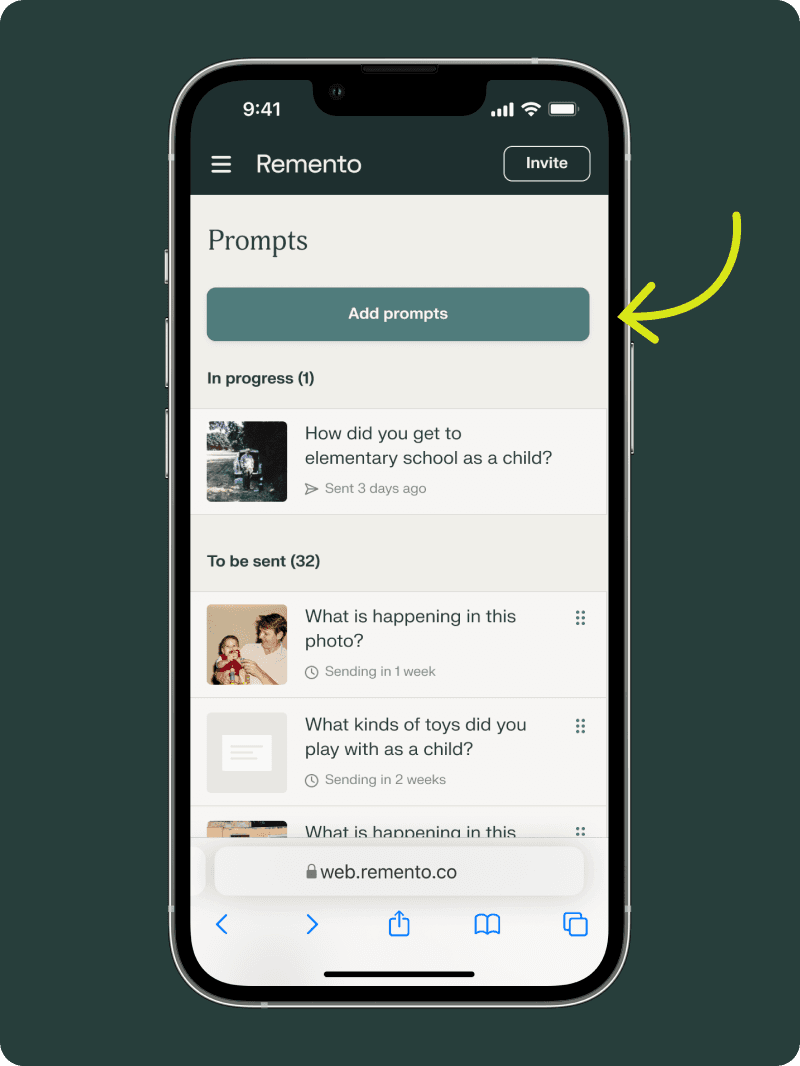
Select the “Add Prompt” Button
Log in to Remento and go to your Prompts page. From here, look for the button to “Add prompts”.
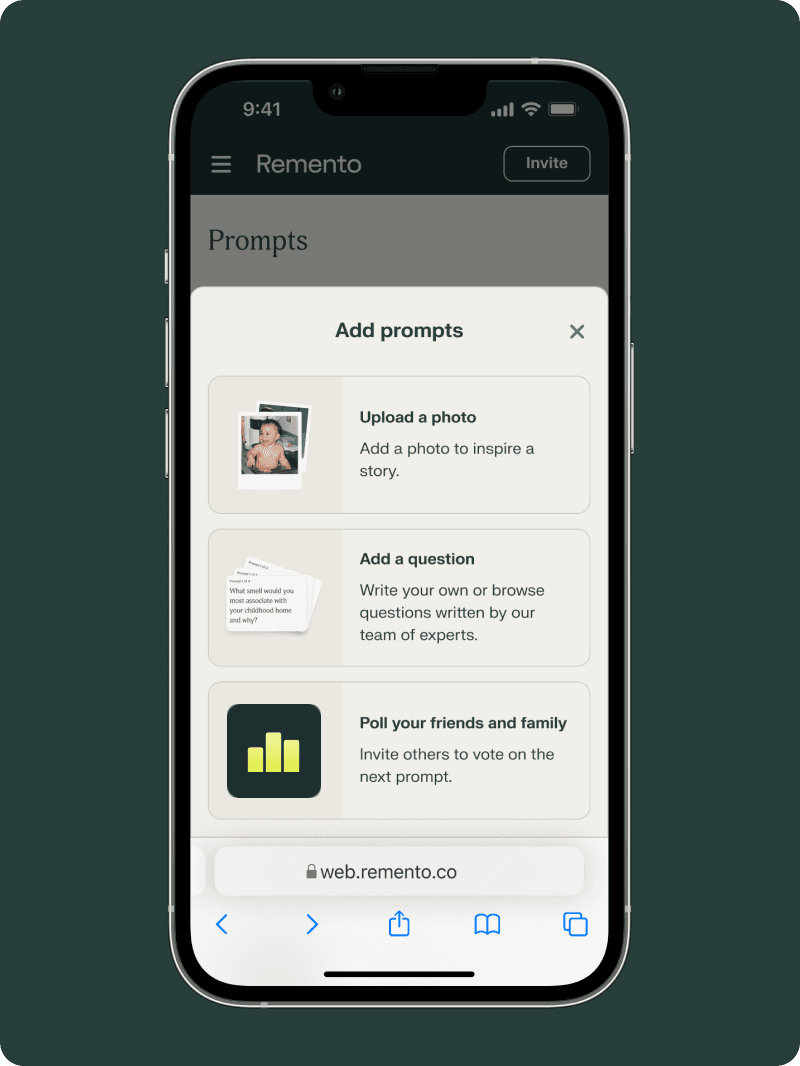
Choose to “Add a question” or “Upload a photo”
Prompts can be sent with or without a photo. If you have a photo ready, you can upload that photo and write in a question that will be sent with it.
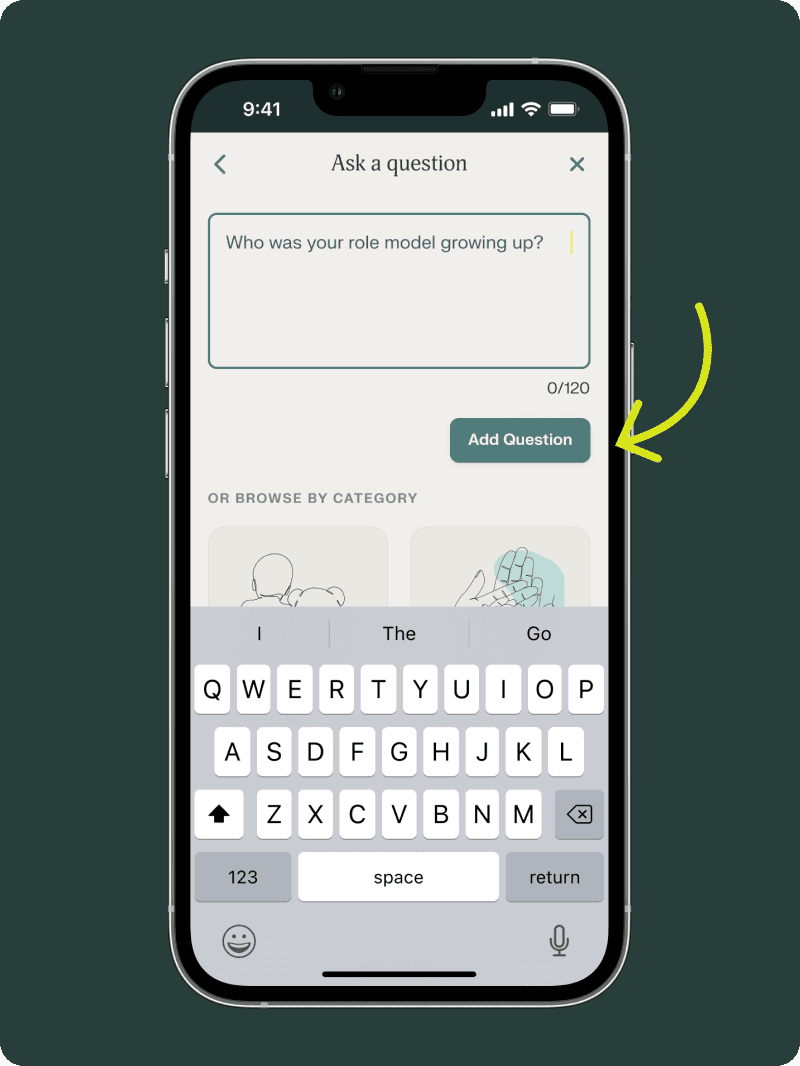
Write in your question
If you don’t have a photo, select “Add a question” and you will be shown an open field for writing in a prompt. Simply type in your question or topic.